Limited Time Offer at ₹149/-
BuildWithGaurav
Learn From 8+ Years of Real-World Video Editing Experience
Learn Video Editing.
Use AI.
Create Like a Professional.
8+ Years Experience
Beginner-friendly
Real Client Projects
Hear Directly From Gaurav
A short message about why this guide matters, who it's for, and what to expect when you start.
A practical roadmap to learn professional video editing and build faster AI-powered editing workflows — without confusion, without random tutorials, without overwhelm.
Watching Tutorials Isn't the Same as Knowing How to Edit.
Most beginners open YouTube, watch a few "how to edit" videos, follow along for 20 minutes — and then immediately feel lost when they try to edit their own project. Tutorials teach buttons. They rarely teach thinking.
No clear learning order
You're jumping between random videos, advanced techniques, and software-specific tricks — with no roadmap of what to actually learn first.
Tutorials without practice framework
You watch. You nod. You close the tab. Three days later you remember almost nothing — because watching is not the same as practicing.
Confusion about AI tools
There are hundreds of AI tools. Most are distractions. You don't know which ones genuinely speed up editing — and which ones are just noise.
No professional finishing polish
Your videos look "okay," but they don't feel like the cinematic, well-paced reels and projects you admire online.
No idea how to take paid work
Even if you can edit, you don't know how to find clients, price your work, build a portfolio or run a freelance editing business.
Stuck at "beginner" forever
You've been "learning" for months — but you still don't feel confident calling yourself a video editor. Something is clearly missing.
Stop learning randomly. Start following a practical roadmap.
The AI Video Editor Starter Guide gives you a structured, beginner-friendly, AI-aware path — so you stop guessing and start editing with intention.
Your Starting Point to Modern Video Editing.
The AI Video Editor Starter Guide isn't another 400-page technical manual. It's a focused, practical, AI-aware roadmap built from 8+ years of real client editing experience — designed to take you from "I want to learn editing" to "I understand the workflow and I'm ready to grow."
Video Editing Roadmap
Know exactly what to learn and in what order — so you stop jumping between random tutorials and start progressing with structure and clarity.
AI Editing Workflow
Discover where AI genuinely saves time in the editing process — captions, audio cleanup, ideation, repurposing — without replacing your creative judgment.
Professional Editing Principles
Learn pacing, storytelling, audio design, B-roll usage and visual structure — the actual principles behind videos that look and feel professional.
Practice Framework
Know exactly how to convert what you read into actual editing skill — with a built-in practice roadmap designed to build muscle memory and confidence.
Freelance Direction
Understand how professional editing connects with real client work — pricing, positioning, communication, and how to land your first paid projects.
Beginner-Friendly
Clear explanations without unnecessary technical complexity. Written so a complete beginner can understand — but valuable enough that an intermediate editor will still learn.
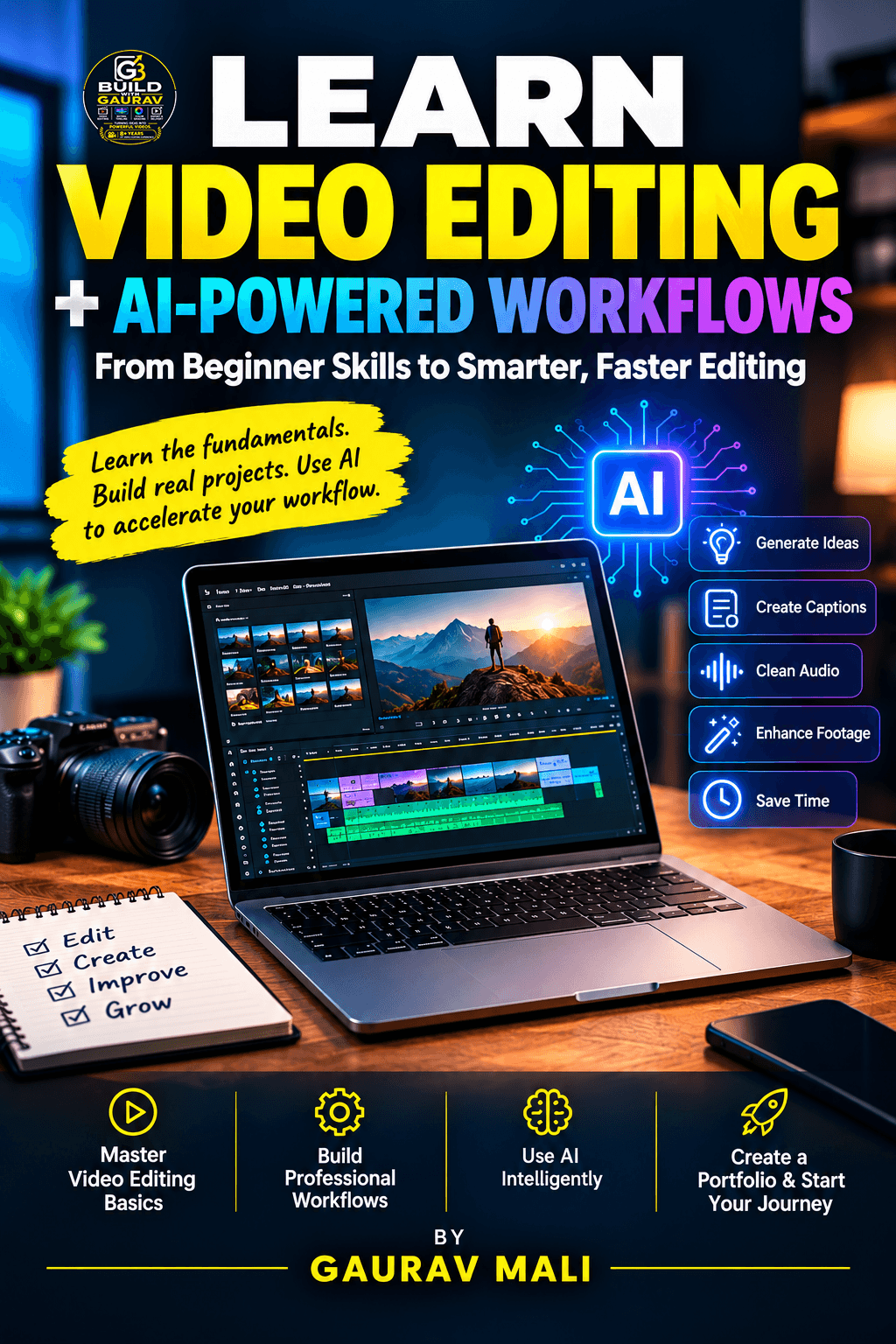
LEARN VIDEO EDITING + AI POWERED WORKFLOWS EBOOK
Only at ₹149 TODAY
What You'll Learn Inside this
Video Editor Starter Guide
A focused, premium ebook built around 9 core learning modules — each designed to move you one step closer from beginner to capable, modern video editor.
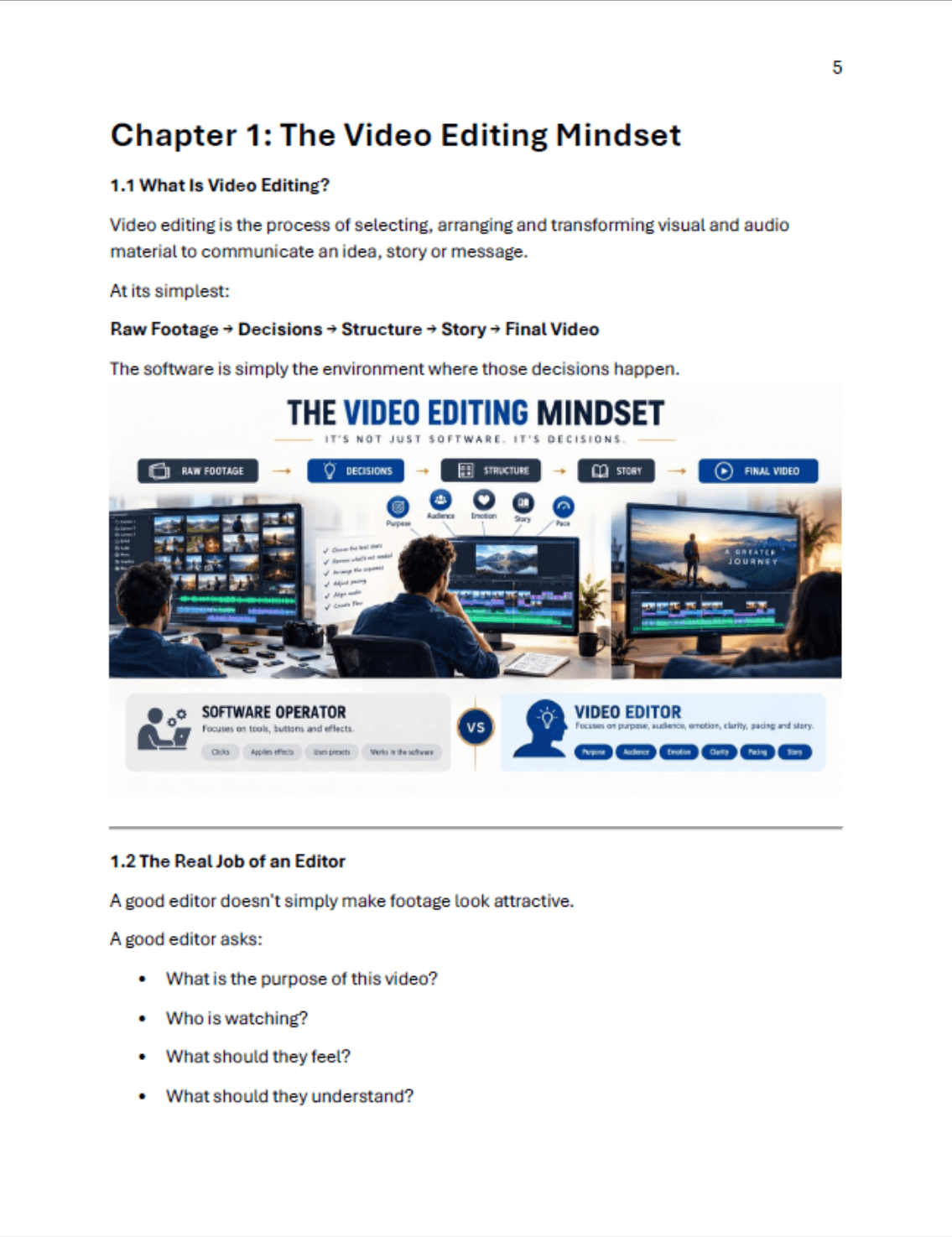
The Video Editing Mindset
Understand what makes a video effective beyond just using editing software.Learn to think like an editor—through storytelling, audience, emotion, and purpose.Build the right creative mindset before learning advanced techniques.
Video Editing Fundamentals
Learn the essential concepts of cuts, transitions, timeline, audio, visuals, and formats.Understand how clips are organized and how different editing decisions affect a video.
The Editor’s Creative Toolkit
Explore creative tools such as pacing, B-roll, music, sound effects, text, and transitions.Learn how these elements influence attention, emotion, and storytelling.
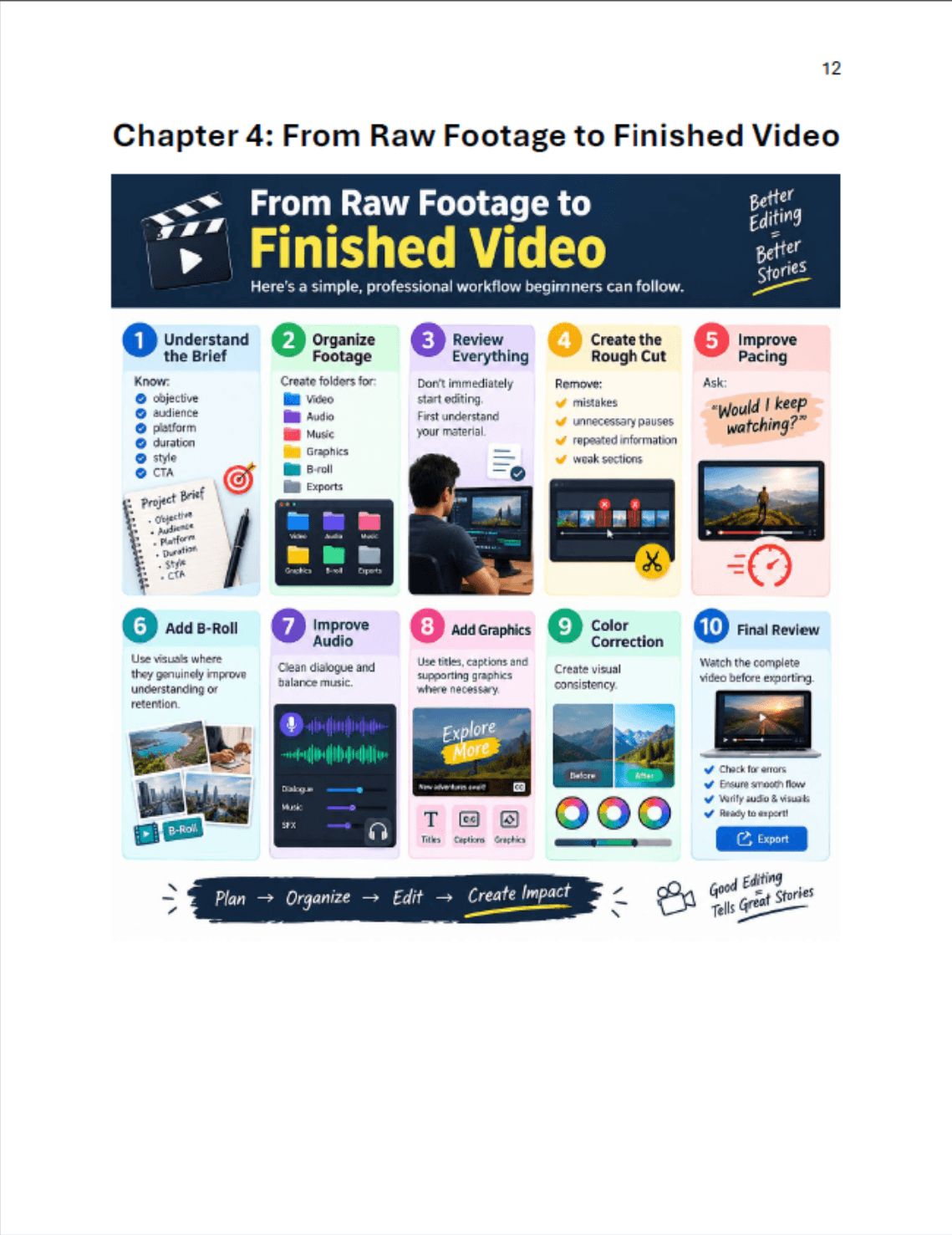
From Raw Footage to Finished Video
Learn the complete editing process from importing and organizing footage to final export.Understand how to select the best clips, build sequences, refine edits, and polish the video.
Creating Engagement-Focused Content
Learn how to edit videos specifically for attention, retention, and audience engagement.Understand hooks, pacing, pattern interrupts, captions, storytelling, and platform-friendly formats.
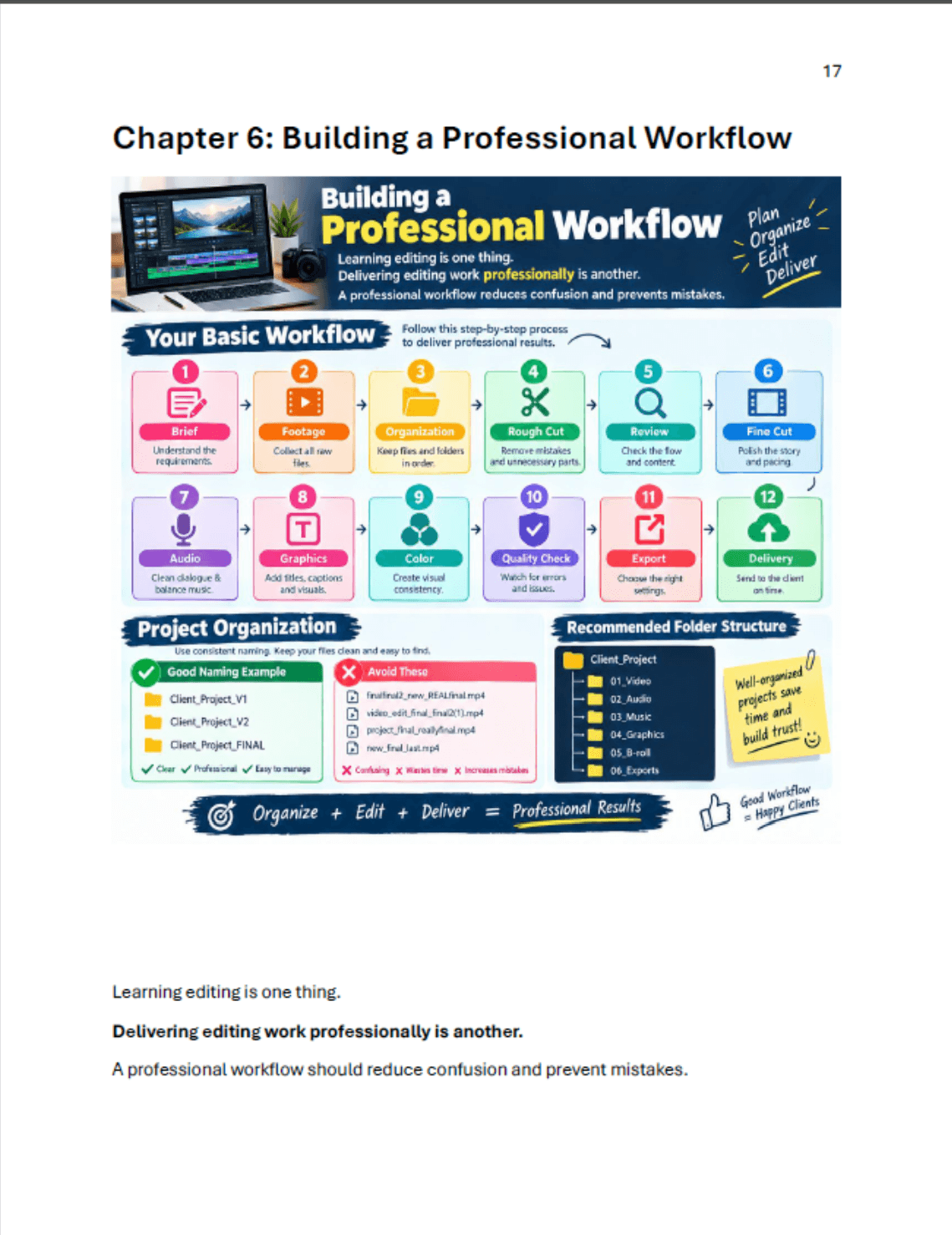
Building a Professional Workflow
Develop an organized workflow that makes editing faster, cleaner, and more reliable.Learn project organization, file management, editing stages, revisions, exports, and delivery.
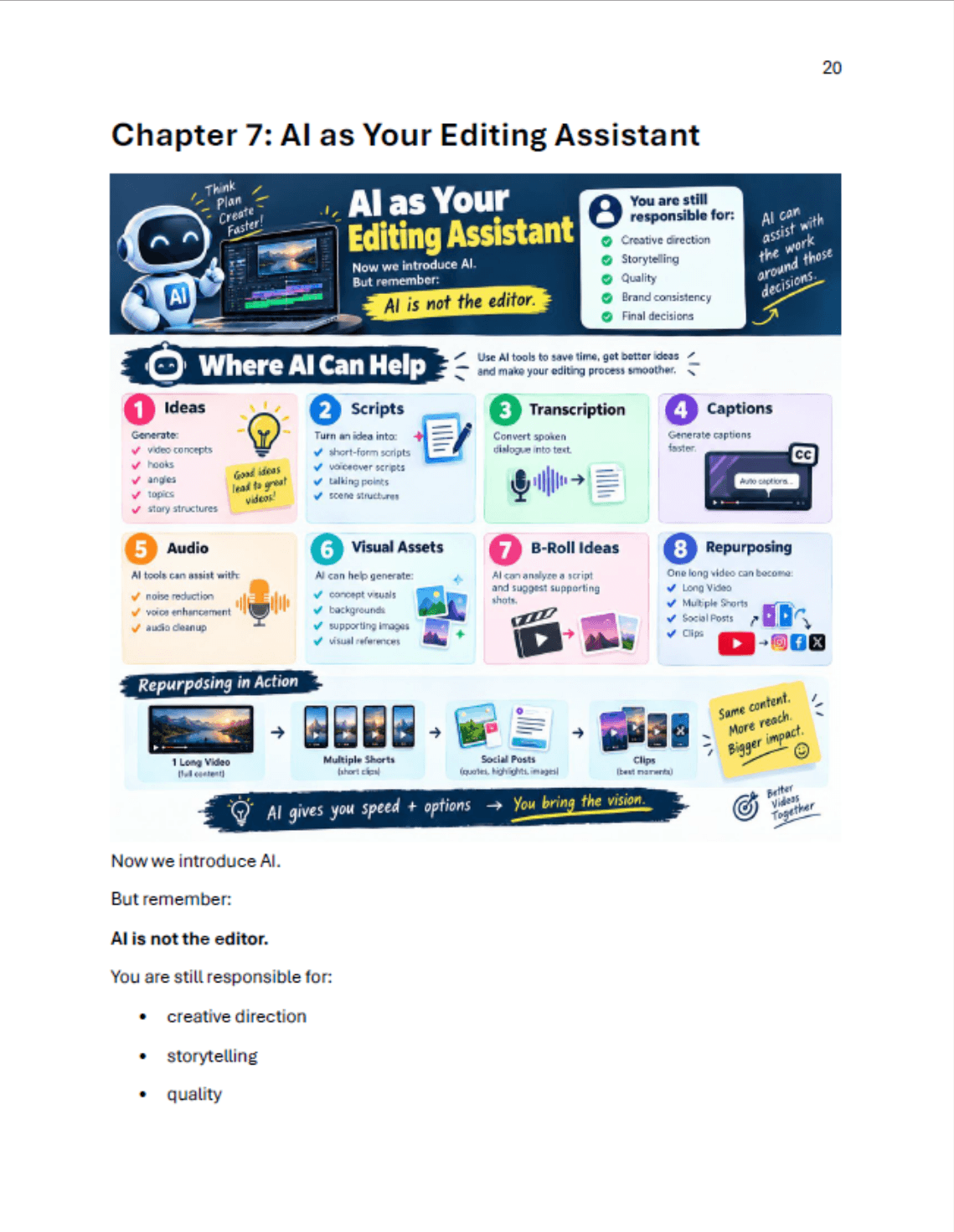
AI as Your Editing Assistant
Discover how AI can support editors without replacing creative judgment.Use AI for tasks such as transcription, captions, idea generation, cleanup, research, and repetitive work.
AI-Powered Editing Workflow
Combine traditional editing skills with AI to create a faster and smarter production process.Learn how to use AI across planning, editing, repurposing, optimization, and content creation.
Build Your First Portfolio
Learn how to create portfolio projects even if you don't have professional clients yet.Choose projects that demonstrate your editing skills, creativity, storytelling, and AI-assisted workflow.Turn your portfolio into a tool for attracting freelance clients, creators, and businesses.
4 Transformations This Guide Will Create In Your Editing Journey
Reading this guide isn't about adding another PDF to your downloads. It's about genuinely changing how you think, work and grow as a video editor.
Clarity Instead of Confusion
You'll finally have a clear roadmap of what to learn, in what order, and why. No more jumping between random YouTube tutorials wondering "what should I learn next?"
- A structured learning sequence
- Clear priorities for your skill level
- Confidence in what to focus on
Professional Output, Not Just "Edited" Videos
Your videos will start looking and feeling like the work you admire online — better pacing, better audio, cleaner storytelling and a clear professional polish.
- Cinematic pacing principles
- Audio that sounds premium
- Visual storytelling confidence
A Real AI-Powered Workflow
You'll know exactly how to use AI tools as a productivity layer — saving hours on captions, transcription, repurposing and ideation — without losing creative control.
- Save 5–10 hours per project
- Curated, tested AI tool stack
- Workflow automation basics
A Clear Path From Learning → Earning
You'll understand how editing skill connects with real client work — and have a direction for turning video editing into a paid freelance or career skill.
- Portfolio building direction
- Client communication basics
- Pricing and positioning fundamentals
The Modern Editor Doesn't Just Edit Faster. They Work Smarter.
AI is transforming every creative industry — and video editing is at the center of that shift. But here's the truth most people miss: AI doesn't replace skilled editors. It replaces slow workflows. Skilled editors who use AI become unstoppable.
Where AI Genuinely Helps Video Editors:
AI + Editing Skill = Faster Professional Workflow
Skilled editors who use AI tools are producing 3–5x more output than editors who don't. That's not hype — it's math. Less time on repetitive tasks means more time on actual creative decisions.
This Guide Is Built For These Specific People
If you recognize yourself in any of these descriptions — this guide was made for you.
🎓 Complete Beginner
You're starting from zero and don't know what to learn, which software to use, or how to actually practice. You need a clear roadmap.
🚀 Aspiring Freelancer
You want to turn video editing into a paid skill — taking on client projects, building a portfolio and earning real income.
🎥 Content Creator
You create content for YouTube, Instagram or TikTok and want to dramatically improve your video quality and editing speed.
⚙️ Existing Editor
You already edit but want to improve quality, modernize your workflow with AI, and learn the principles behind truly professional work.
📱 Social Media Manager
You manage social content and want to handle video editing in-house with professional results — without outsourcing every project.
🎯 Student / Young Professional
You want a practical digital skill with real professional applications — something you can learn quickly and monetize seriously.
This Guide Is NOT For:
- Advanced editors with 5+ years of professional experience already working at the highest level
- People looking for a "get rich quick" scheme — video editing is a real skill that requires real practice
- Anyone expecting to master editing without ever opening editing software
- People unwilling to commit to consistent practice for at least 30–60 days
- Those looking for full-time job placement guarantees (this is a learning resource, not a recruitment agency)
Before vs. After The AI Video Editor Starter Guide
Here's what changes when you move from "random tutorials" to a structured, AI-aware learning path.
📚 How You Learn
BEFORE
Random YouTube tutorials with no clear order. Watching without a structured plan.
AFTER
A clear 12-module roadmap that takes you from fundamentals to professional workflows.
🤖 How You Use AI
BEFORE
Confused about which AI tools are real, which are hype, and where they actually fit in editing.
AFTER
A curated AI tool stack with clear workflows for captions, audio, repurposing and more.
🎬 Your Video Quality
BEFORE
Edits that look "okay" but feel amateur. Pacing issues, weak audio, no real storytelling.
AFTER
Professional pacing, cinematic B-roll usage, clean audio and visually polished final output.
💼 Your Earning Potential
BEFORE
Editing as a hobby. No portfolio. No idea how to find clients or price your work.
AFTER
A real practice framework, portfolio direction, and clear freelance roadmap to earn from editing.
Learn From Real Client Experience — Not Just Software Tutorials.
Gaurav has spent 8+ years editing real projects for real clients. This guide is the distillation of that experience — the principles, decisions, and workflows that only come from doing the work professionally, repeatedly, across multiple project types.
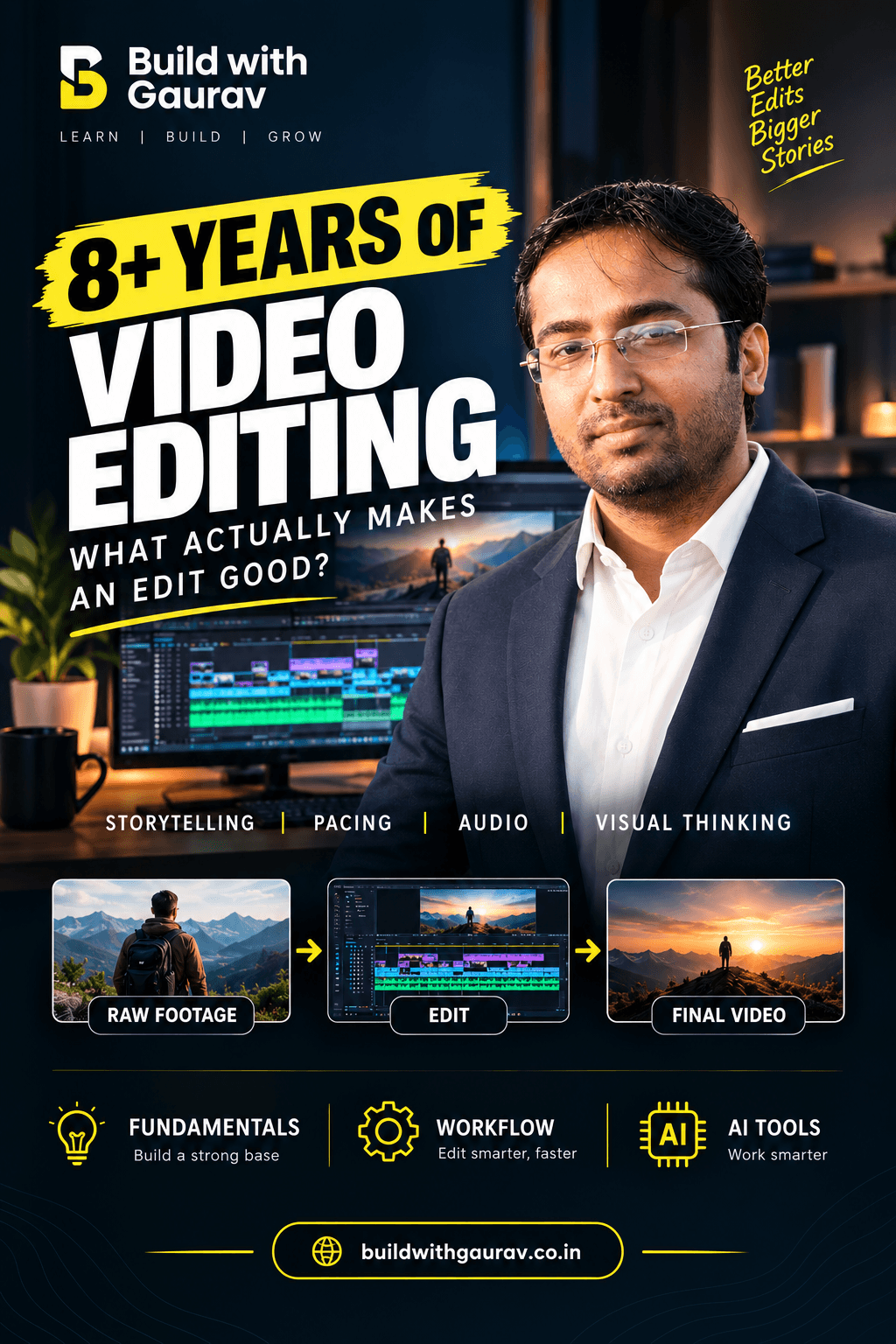
Real Projects. Real Clients. Real Editing Decisions.
"Most editing tutorials teach you which buttons to press. They rarely teach you which decisions to make — and that's where the actual craft lives. Over the last 8+ years, I've edited hundreds of projects across weddings, corporate documentaries, social media content and promotional work. The AI Video Editor Starter Guide condenses everything I've learned into a clear, structured path so you don't have to figure it all out the hard way like I did."
— Gaurav, BuildWithGaurav
Project Experience Includes:
Real Feedback From Real Learners
Honest testimonials from people who went through the guide and started applying what they learned.
Rahul K.
Beginner Video Editor
"I had watched dozens of YouTube tutorials but still felt lost. The roadmap section alone was worth 10x the price — finally I know what to learn first. The AI workflow section opened my eyes to how much time I was wasting on manual tasks."
Priya S.
Content Creator
"I run a small Instagram page and was spending 4+ hours editing each reel. After applying the pacing and AI tools sections, I'm cutting that down to about 90 minutes — and the quality is better. The B-roll section changed everything for me."
Ankit M.
Student
"I'm a college student and I didn't want to spend thousands on a course. For ₹149, this guide gave me exactly what I needed — a real direction. The freelance section at the end made me realize this could actually become a side income."
Neha S.
Social Media Manager
"I manage social media for 3 small businesses and was outsourcing every video. After reading the audio and color correction sections, I'm now handling most edits in-house. The clients are happier and I'm saving the agency money."
Everything You Need to Start Learning the Right Way
Here's everything packed into the AI Video Editor Starter Guide — and what each piece would cost if purchased separately.
Extra Bonuses Included With Your Guide
LEARN VIDEO EDITING + AI POWERED WOKFLOWS GUIDE
“50 AI Prompts for Video Editors”
🤖 AI Tools for Video Editors
Reels Editing Checklist
Basic Editing Shortcuts
Freelancer Starter Roadmap
Freelance Proposal Client Kit
Client Project Checklist
You're getting 96% OFF the combined value — for the price of a single takeaway meal.
Your Purchase Is Risk-Free
We believe in the value of this guide — but we also believe you should feel 100% safe making the purchase. If you read the guide, apply the principles, and feel it didn't deliver on what it promised, simply reach out to our support team within 7 days for a full refund.
No awkward questions. No friction. No risk on your end.
You're investing ₹149 to learn a skill that can realistically earn you back many times over — and the entire risk sits with us, not with you.
Want Practical Guidance Beyond the Guide?
For learners who want more — live demonstrations, personalized feedback and one-on-one direction. These premium options are designed for serious learners ready to go deeper.
Live Practical Video Editing Webinar
A live, interactive session covering professional editing workflow, AI-assisted editing, portfolio building and live Q&A — with real demonstrations, not slides.
- Live demonstrations of professional editing workflow
- AI-assisted editing in real-time
- Portfolio building direction
- Live Q&A with Gaurav
- Recording access after the session
1:1 Video Editing Consultation
Personalized, one-on-one guidance tailored to your current skill level, portfolio, editing career direction, AI workflow integration or freelancing ambitions.
- Personal skill assessment
- Portfolio review and feedback
- Customized learning roadmap
- Career and freelancing direction
Everything You Might Be Wondering
Honest answers to the most common questions about the guide, AI workflows, software, freelancing and more.
The AI Video Editor Starter Guide is a beginner-friendly ebook that teaches the fundamentals of video editing and shows you how to use AI tools to make your editing workflow faster and more efficient. It takes you from basic editing concepts to practical workflows, portfolio building, and AI-assisted editing.
It is designed for beginners, students, creators, aspiring freelancers, social media managers, marketers, and anyone who wants to learn modern video editing with AI assistance.
Yes. The guide starts with the basics and gradually moves toward professional workflows and AI-powered techniques. You don't need to be an experienced editor to follow it.
No. Previous experience isn't required. Basic computer knowledge and a willingness to practice are enough to get started.
The guide focuses primarily on editing principles, workflows, and creative skills rather than one specific software. This allows you to apply the concepts across tools such as Premiere Pro, DaVinci Resolve, CapCut and other modern editing platforms.
AI can assist with tasks such as idea generation, scripting, transcription, captions, audio cleanup, B-roll ideas, visual assets, content repurposing, and repetitive editing tasks. The guide shows you how to use AI as an assistant—not as a replacement for creative judgment.
Yes, you can build a strong foundation with it. You'll learn the essential concepts, workflow, creative techniques, and practical steps needed to start editing videos. Your results will depend on how consistently you practice.
No. It is an ebook/guide, designed to be read and implemented at your own pace. It focuses on practical knowledge, workflows, checklists, examples, and actionable guidance.
After your purchase, you'll receive the guide digitally, so you can access it on your computer, tablet, or smartphone and start learning immediately.
The guide is designed to be self-paced, so personal guidance is not automatically included. If you want deeper support, you can explore our workshops, training programs, or other guidance options when available.
Your Video Editing Journey Starts With One Skill.
Learn the fundamentals. Understand the workflow. Use AI intelligently. Build professional skills. All of it starts with one decision — and ₹149.
Instant digital access • 7-day satisfaction promise • Beginner-friendly